Introduction
Small business websites face online attacks every day. Hackers easily pick them because they have weak security in place. Strong website security measures keep these websites safe.
Many small business owners believe that hackers only target large companies. But that’s not true. A weak website is all it takes to become a victim. Whether you run a simple blog, a service website, or a small online store, you need the proper website security measures to stay safe.
This guide will help you understand how to protect your site. We’ll cover steps like using HTTPS protocol, setting up phishing protection, and adding security headers. You don’t need to be a tech expert to follow along. Every step is clear, simple, and made for small business owners who want to stay secure online.
Why Website Security Matters for Small Businesses

A website without protection can harm your business. Hackers can steal customer data, take control of your site, or shut it down. This can result in lost money, damaged trust, and even legal issues.
Many small business owners think they’re too small to be noticed. However, hackers often target websites with weak defenses. Without strong website security measures, even a simple site can become a target.
Phishing is one common danger small businesses face online. If your site lacks phishing protection, attackers can trick visitors into disclosing private information, such as passwords or payment details. This puts your users at risk and damages your business name.
Security headers also play a key role. Without them, browsers may load unsafe content or let attackers misuse your site.
Strong website security measures help your business stay safe online. They guard your site, protect your visitors, and show that you care about their safety. When your site is secure, customers are more likely to trust you and return.
Setting the Foundation: HTTPS Protocol and SSL Certificate Installation

One of the most important website security measures is protecting information sent through your site. The HTTPS protocol keeps data secure while it travels between your website and your visitors, such as form submissions, passwords, and email addresses. When people see the padlock icon on your site, they know that your site is safe.
To use the HTTPS protocol, your website must complete an SSL certificate installation. This file shows that your site is real and secure. Without it, browsers may display a warning that drives people away.
There are two kinds of SSL certificates. Free ones, like Let’s Encrypt, work well for small websites. Paid ones offer extra help, such as support or warranties. After your SSL certificate installation, check that every page on your site loads securely.
Even if you do not know about tech, these steps are simple to use. They help keep your visitors safe, build trust, and lift your site’s rank. Using these website security measures makes your business and its visitors safer online.
Using Security Headers to Shield Your Website

Security headers are short messages that your website sends to each visitor’s browser. These messages help control how the browser loads and displays your site. Without them, your site could face attacks without you even being aware of them.
Three common examples include:
- Content-Security-Policy helps block harmful code from unsafe sources.
- X-Frame-Options stops your pages from being loaded inside other websites.
- X-Content-Type-Options prevents files from opening in unsafe ways.
They run quietly in the background. They don’t change how your site looks or feels, but they add strong protection. Many small businesses don’t use them, even though they are easy to set up.
If your business website runs on Apache, you can add these headers by editing your .htaccess file. WordPress users can use free plugins to apply them without writing any code. Most tools allow you to manage them in just a few clicks.
These tools are among the most effective website security measures for small business owners. Security headers guard your site, protect your users, and reduce online threats.
Implementing robust website security measures like these helps your business stay secure and fosters trust with every visitor.
Best Practices for Strong Password Policies and User Access

One of the main ways hackers get into websites is through weak passwords. Many small business owners still use simple passwords like “123456” or “admin,” which makes it easy for criminals to break in. That is why strong password rules and daily habits are very important today.
Use a strong password that is 12 characters long (at least), and includes a combination of letters, numbers, and simple symbols. Never reuse passwords from other accounts. This simple habit can stop many attacks.
You can utilize simple tools, such as password managers, to simplify the process. Apps like Bitwarden or LastPass can securely store your login information and even generate strong passwords on your behalf. This makes it easier to follow strong password policies without any extra effort.
It’s also smart to limit who has access to your website. Grant admin rights only to individuals who truly require them. Remove old accounts that are no longer in use.
You make website security measures most effective when you control access. One weak password can lead to significant damage. That’s why strong login practices are one of the most basic website security measures you should have in place.
The Role of Two-Factor Authentication Methods

Hackers can steal even strong passwords. That’s why using two-factor authentication methods is a great way to add an extra layer of security. It makes it harder for hackers to break into your site.
These methods need two steps to work. First, you type your password. Then, you prove who you are in another way—like typing a code sent to your email or your phone. Without both steps, no one can get in.
You don’t need to be an expert to set it up. Free apps like Google Authenticator and Authy make it simple. WordPress also has plugins that support two-factor authentication, eliminating the need for coding skills.
This extra layer prevents stolen passwords, fake logins, and bots from accessing your account. It also helps users feel safe when they use your site.
Two-factor login is one of the most helpful website security measures. It works even better when you add strong passwords and limit user access.
Every small business should include two-factor authentication methods in its website security measures. It’s easy, effective, and a smart step to protect your site.
How Security Plugins for WordPress Strengthen Protection

If your website runs on WordPress, using security plugins is one of the easiest ways to ensure your site’s safety. These tools help block threats, even if you’re not a tech expert. They add strong website security measures with just a few clicks.
Popular options like Wordfence and Sucuri can do a lot. They scan your site for malware, block malicious visitors, and send alerts to you if any issues arise. Many plugins also include firewalls, which act like locked doors to keep out intruders.
These tools can help you hide your login page, limit login attempts, and establish password rules. Some even check your site daily and fix minor problems before they grow. With the proper security plugins for WordPress, you don’t need to guess what’s safe.
Good website security measures protect your site at all times. Adding plugins provides an additional layer of defense. When used with HTTPS and strong passwords, they work even better.
Security plugins for WordPress are a wise choice. They help protect your site, keep hackers out, and let you focus on growing your business.
Preventing Threats with Phishing Protection Techniques
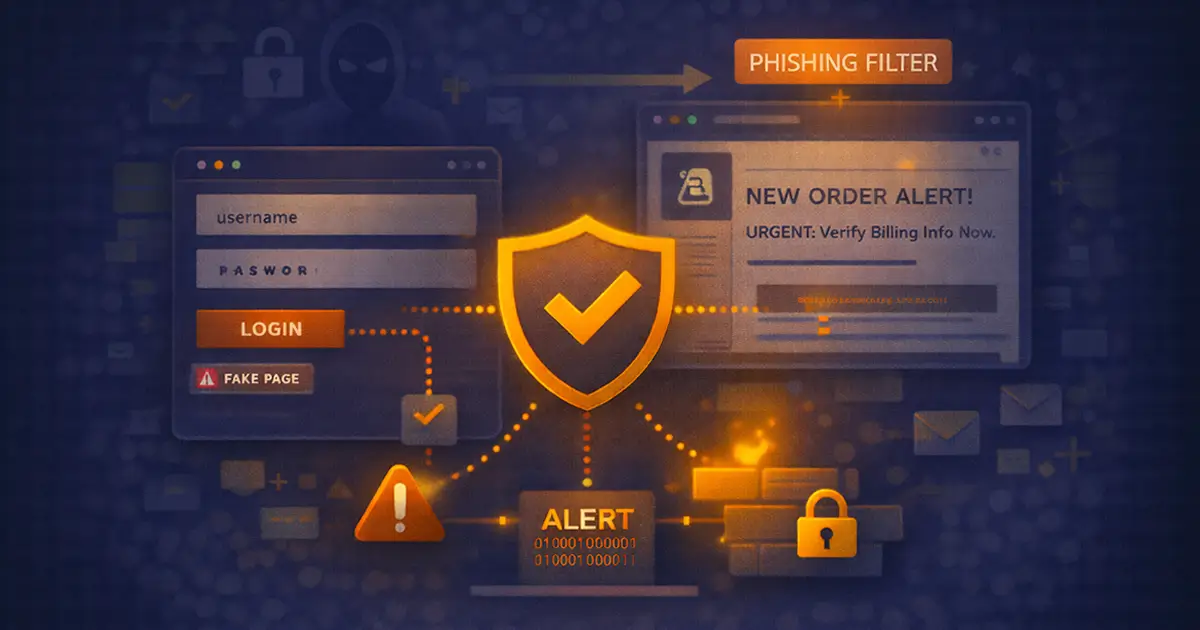
Phishing occurs when hackers deceive individuals into disclosing very private information, such as credit card numbers or passwords. If your website lacks phishing protection, it may be vulnerable to exploitation, allowing scammers to deceive your visitors. This can hurt your business and even damage your reputation.
Phishing emails or fake login pages can appear to be genuine. But there are ways to stop them. One of the best website security measures is to use strong filters that block dangerous emails. These filters warn users about malicious links before they click them.
You should also teach your team and users what to look out for. Phishing attacks often use fake logos, urgent messages, or links that seem real. A little training can go a long way in helping you spot scams early.
Security plugins and browsers can help, too. Many include tools for phishing protection that alert users about unsafe pages. This will offer an additional layer of security for you and your visitors.
Using such protection keeps your site safe and builds trust. It’s one of the most crucial website security measures for small businesses today.
The Power of Data Encryption Techniques for Safe Communication

When people type in names, passwords, or email addresses on your website, that information travels across the internet. If it isn’t protected, hackers can steal it. That’s why using data encryption techniques is one of the most essential website security measures.
Encryption hides data by transforming it into a secret code. Only someone with the correct key will be able to read it. This keeps forms, logins, and payments safe. It protects both your business and your visitors.
You don’t need to be an expert to use data encryption techniques. Many WordPress plugins can do this for you. These tools protect the information your users share and help keep your site secure.
Implementing robust website security measures helps establish trust and credibility. People feel safe when they know their details are protected. That trust brings them back to your site.
Start with simple steps. Add encryption to your forms and login pages. These actions go a long way to stop data theft.
Such encryption techniques keep your website safe and your visitors protected. They are easy to use and very effective.
Stopping Attacks: How to Prevent Cross-Site Scripting

Cross-site scripting (XSS) is an attack that injects malicious code onto your website. Hackers do this by using forms, search boxes, or comment areas. If the code runs, it can steal information or trick your visitors. That’s why it’s essential to know how to prevent cross-site scripting.
Start by using input checks. This is called input validation. It means your website only accepts safe letters and symbols. Anything strange gets blocked. This step is a key part of your website security measures.
Next, use output escaping. This instructs the browser to treat user input as plain text rather than code. Even if someone adds harmful code, it won’t run. These steps help prevent cross-site scripting and keep your site safe.
Another smart move is adding security plugins. These scan your site often and block any unsafe scripts. Most plugins are simple to use and work quietly in the background.
To protect your site, you must stop cross-site scripting. It’s one of the most effective website security measures for small businesses today.
Simple Maintenance Habits to Keep Your Website Secure

Keeping your website safe isn’t just about tools. It’s also about good habits. These simple tasks help you stay protected and are a big part of smart website security measures.
Start by updating your website’s plugins, WordPress, and themes very often. Hackers look for outdated software with vulnerabilities they can exploit. Updates fix those holes and keep your site strong.
Next, back up your website often. Backups save a copy of your site in case something goes wrong. If your business website gets hacked or goes down, you can bring it back quickly. Many online tools allow you to set up automatic backups with just a few clicks.
Run security scans often. These checks look for problems and warn you early. Some plugins also scan for phishing protection, security headers, or issues with your HTTPS protocol. Fixing minor problems early stops big ones later.
Website security measures work best when you use them all the time. These small habits build a strong shield. They show your visitors you really care about their safety and help your business run well without problems.
Frequently Asked Questions
What is the easiest way to handle SSL certificate installation for websites?
Install an SSL certificate through your website host or with a plugin. After setup, your site uses HTTPS to keep data safe and build trust with visitors and search engines online.
What are the best data encryption techniques for small business websites?
You can use HTTPS, secure plugins, and tools that protect your forms and login pages. These encryption methods keep private data safe as it moves between your website and the user’s browser.
Why are strong password policies important for my site?
Strong passwords prevent hackers from easily breaking in. Use long, complex passwords, and never reuse them on another website. Limit access to admin accounts and remove old users who no longer need access.
How do two-factor authentication methods improve login safety?
Two-factor authentication adds an extra step after your password. This additional step might be a code or a fingerprint. It makes it much harder for anyone to break into your site, even with your password.
Are there any easy-to-use security plugins for WordPress?
Yes, plugins like Wordfence or Sucuri are easy to install and provide excellent protection. They scan your site, block threats, and help you stay ahead of common attacks without needing coding skills.
What steps help prevent cross-site scripting on my website?
Use input checks to allow only safe text in forms and fields. Use output escaping so the browser treats user input as text, not code. These steps, along with plugins, help keep your site safe from this common type of attack.
Conclusion
Website security measures are a must for small businesses. Many owners think they are too small to be targeted, but that’s not true. Without proper protection, hackers can steal your data, break your site, and hurt your customers. That risk can lead to lost sales and legal trouble.
By using the HTTPS protocol, phishing protection, and security headers, you create a safer place for your visitors. Strong website security measures protect your business, build trust, and help your website grow. Start today and keep your site secure and strong.
Implement Website Security Measures to Protect Your Site and Build Customer Trust
Let The Strategic Tech help you achieve a safer website, lower security risks, and stronger customer trust through effective website security measures. Your site stays online, your data remains protected, and visitors feel confident using your website without fear of security issues. Start by requesting your free Website Security & Protection checklist today.